FAQ
Please check the help section below for answers to common questions.
If you still need assistance, contact us at apbahq@apba.org or 586-773-9700
Help - I forgot my password!
You'll need to know your username OR the email address linked to your account.
Forgot your username or email associated with your account? Contact us at apbahq@apba.org or 586-773-9700
Follow these instructions to reset your password:
- Click here to Log In
- Click on Reset your password

- Enter your username or email address, Submit
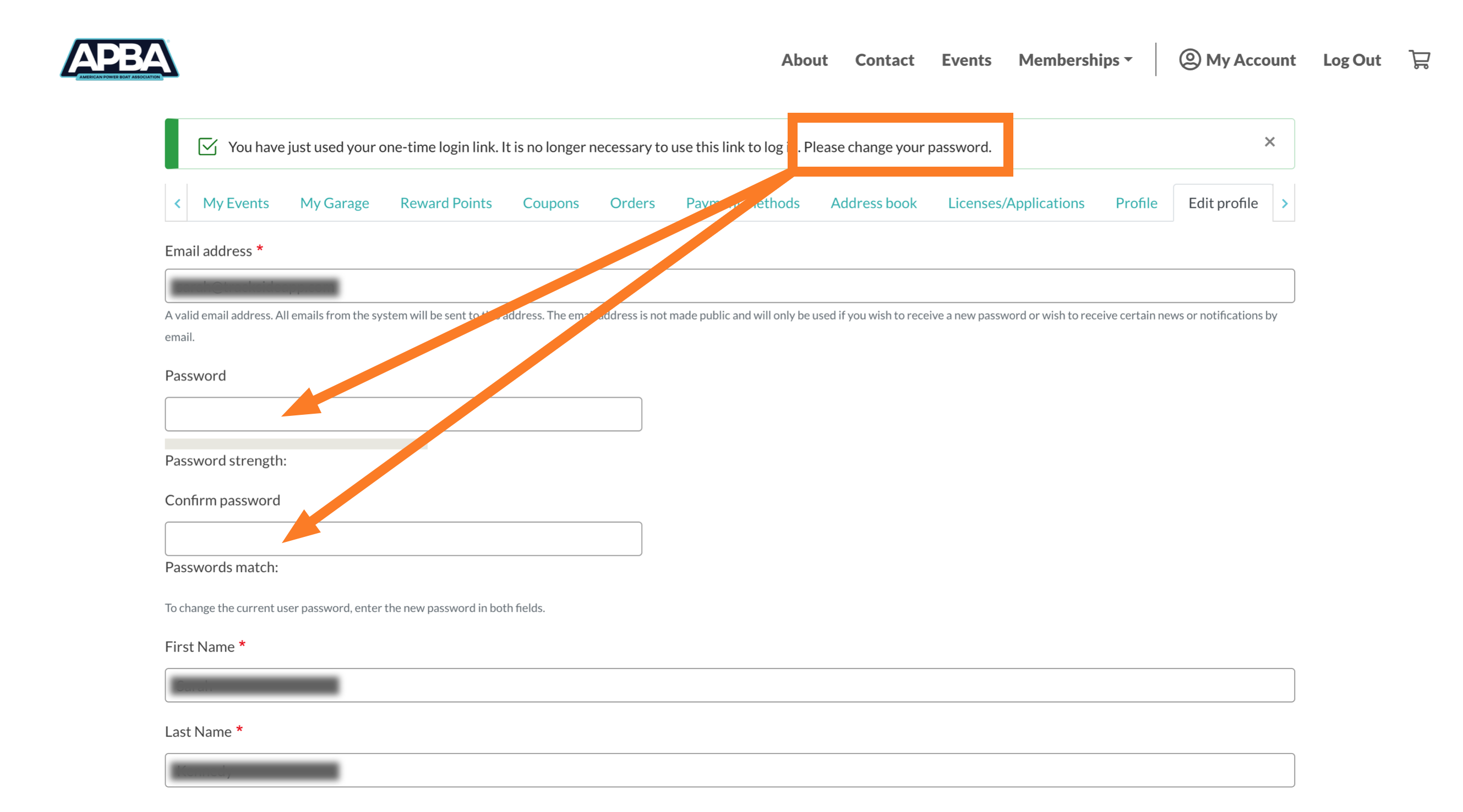
- You will receive an email with a one-time log in link. Click on that link to be automatically logged in. You will be prompted to update your password – do so and then scroll to the bottom of the page and click Save.
Help! I can't log into my account.
If you attempted to log into your account and failed at least 3 times, your account will be locked out for 15 minutes. You'll need to wait and try again later.
If you forget your username, contact us at apbahq@apba.org or 586-773-9700.
If you forgot your password, follow the instructions below.
How do I change my password?
While logged in, go to My Account -> Edit Profile.
Input your new password, and then scroll to the bottom and click Save.
I share an email with my spouse / my child is too young to have an email address.
Moving forward everyone MUST have their own user account!
No sharing accounts. Why?
- Memberships/renewals are tied to each individual's user account
- Event/race registrations are tied to each individual's user account
- Emergency Contact info is tied to each user account
- Scoring/points will be tied to each user account
- Waivers tied to each user account
In order to create a user account, you will need a unique email address.
If you do not have an email address of your own, you will need to get one.
There are quite a few FREE email account providers. It is quick and easy to set up a new email account. Do a quick internet search for "free email account" and you will see many options; do your own research and choose one for yourself. Or, here is a quick list of some that are out there:
If your child does not have an email address of their own, you will need to create one on their behalf.
There are plenty of options for creating a free email account for your child. Do a quick internet search for "free email account for child" and you will see many options; do your own research and choose one for yourself. Or, here is a quick list of some resources:
What is my username? How do I change it?
If you retrieved your account, your username is as follows:
MEMBERID_FIRST_LAST
Find / change your username:
On desktop:
Your username is displayed beneath My Account. If you want to change it, click on Edit. You can change your username on this page; make sure to click Save at the bottom!

On mobile:
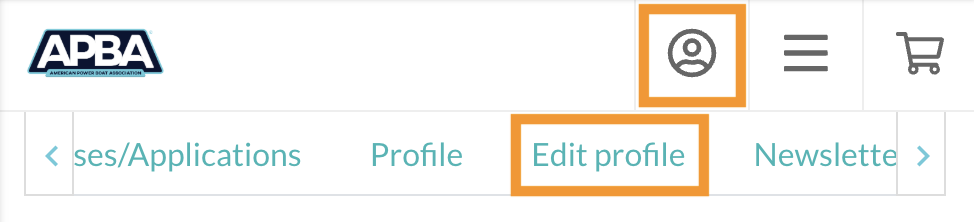
Click on the user icon, then use the right arrow to get to Edit Profile. You can change your username on this page; make sure to click Save at the bottom!
I have a different question.